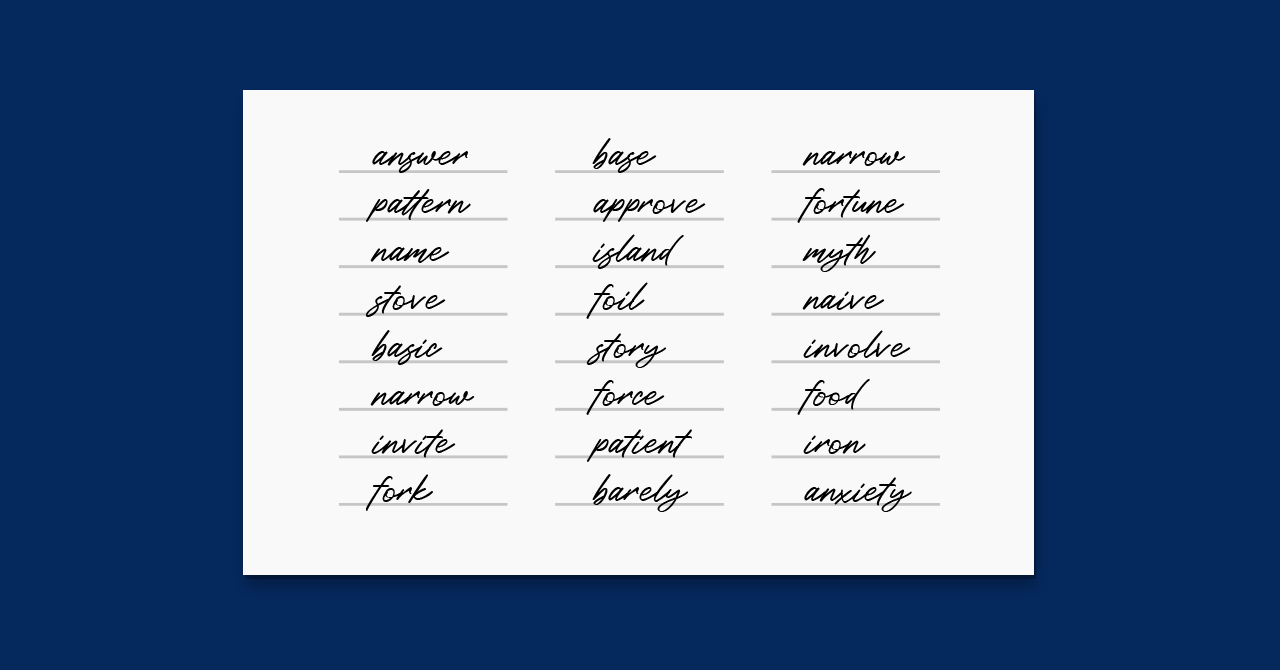
How to Generate a 12 or 24-Word Seed Phrase? (Ledger, MetaMask, Trust Wallet, etc.)
A seed phrase, also known as a mnemonic or recovery seed, is a series of randomly generated words used to create the private key for a cryptocurrency wallet. This phrase acts as a backup, enabling wallet restoration and fund access if the original wallet is lost or damaged. Seed phrases are typically 12 to 24 words long, generated by wallet software, and must be stored securely and never shared, as they provide access to wallet funds.
Seed phrases are vital for accessing private keys, which are complex strings of 256 alphanumeric characters. In contrast, seed phrases are easier to remember and store. Constructed from 2048 words outlined in Bitcoin Improvement Proposal 39 (BIP-39), they are nearly impossible to guess or brute force with current technology.
Ledger is the leading hardware wallet manufacturer. Headlined by its Nano X and Nano S Plus models, Ledger’s selection of devices is widely considered the best crypto hardware wallets lineup.
Always use first-party seed phrase generators. Using third-party generators is extremely risky and can lead to a loss of funds.
How to generate a seed phrase using a Ledger hardware wallet
To generate a 24-word seed phrase using a Ledger hardware wallet, follow these steps:
1. Connect your wallet to your PC: Download and install the Ledger Live software from Ledger’s website. Connect your Ledger device to your PC, which is compatible with Windows, Mac, and Linux.

2. Enter your PIN: Set a 4 to 8-digit PIN as an additional security layer before accessing Ledger Live.
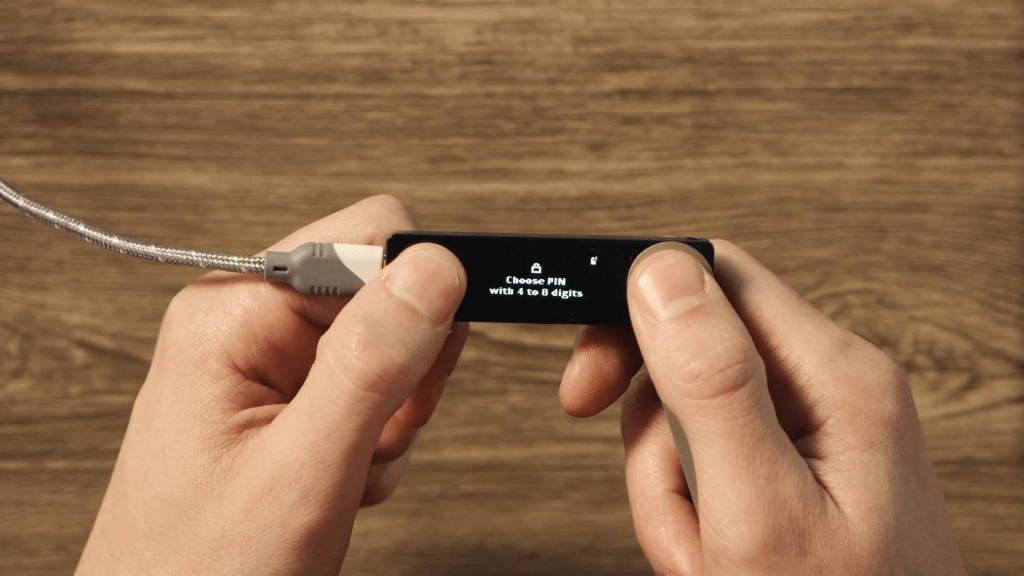
3. Write down your seed phrase on a piece of paper: The Ledger device will display a unique 24-word sequence. Write down each word and confirm it on the device. Do not photograph or store it digitally.
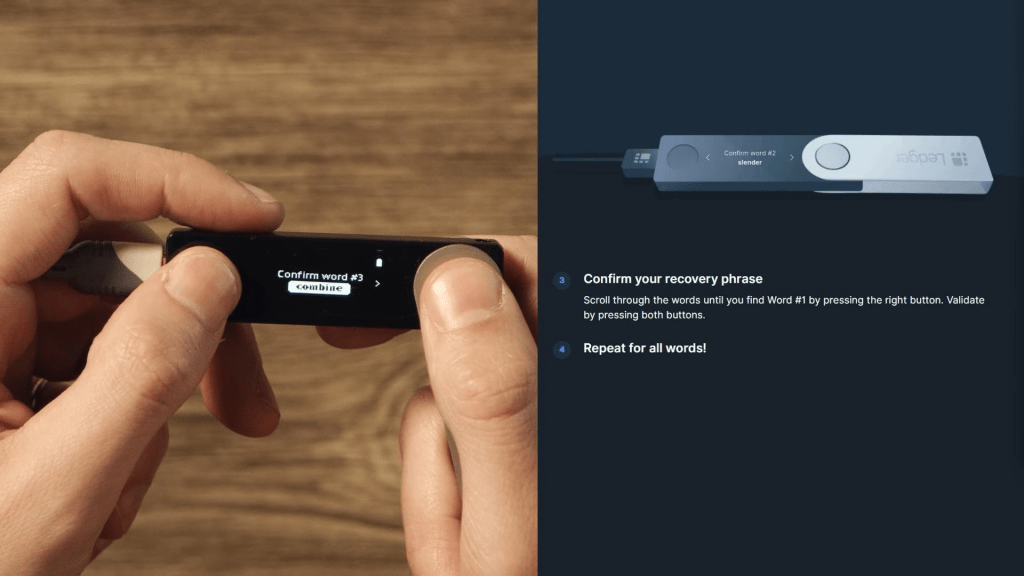
4. Store your seed phrase securely: For maximum security, use a metal wallet like Billfodl, Cryptosteel Capsule, or Cryptotag Zeus. These provide protection against fire, water, and physical damage.

5. Your Ledger is ready to use: After setting up and securing your seed phrase, you can start managing your crypto assets with your Ledger wallet.
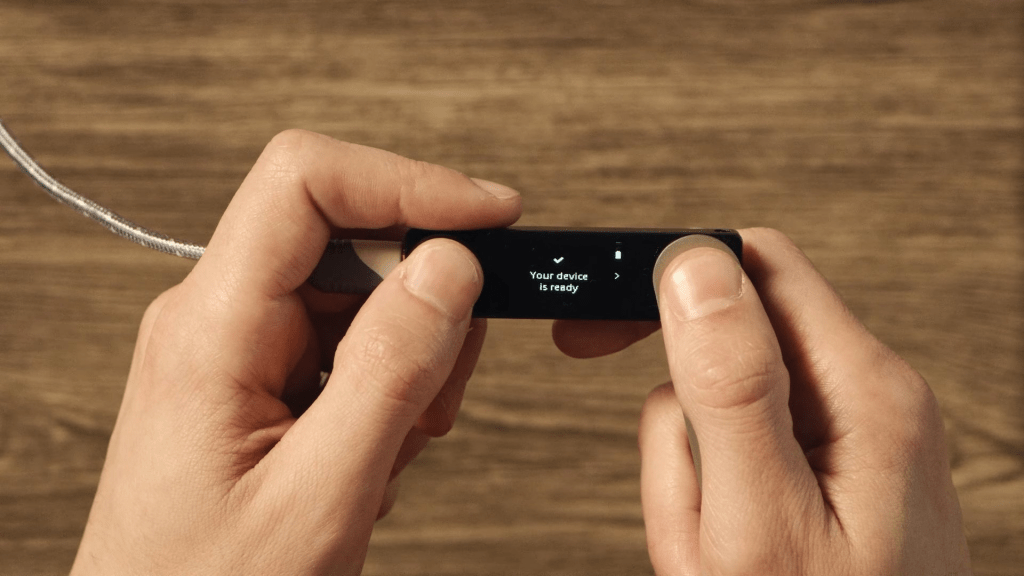
After setting up your crypto wallet, the most vulnerable part of your crypto security is the seed phrase – and it’s easy to understand why. Storing the seed phrase online leaves you open to cyber attacks, whereas storing it on a piece of paper makes it very vulnerable to physical damage. Consider purchasing one of the best metal crypto wallets for seed phrase storage to patch that vulnerability.
How to generate a seed phrase using MetaMask, Trust Wallet, or some other software wallet
To create a 12-word seed phrase using MetaMask (or a similar software wallet), follow these steps:
1. Download and install the MetaMask browser extension: Visit the MetaMask website and download the browser extension.

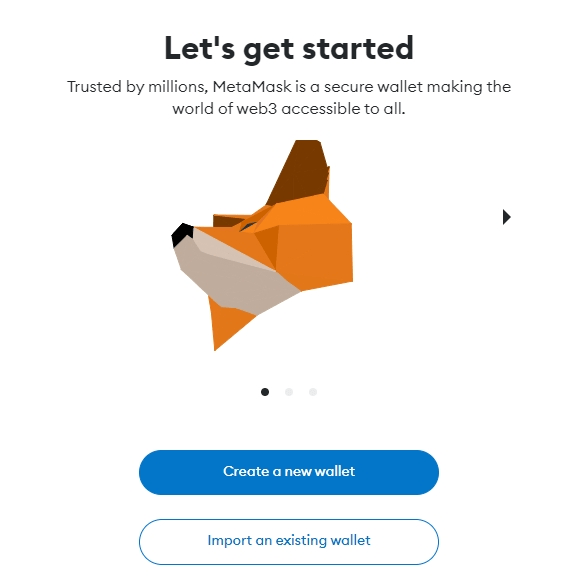
2. Create a new wallet or import an existing one: If you don’t have an existing wallet, create a new one. You can also recover an existing wallet by entering your 12-word seed phrase.
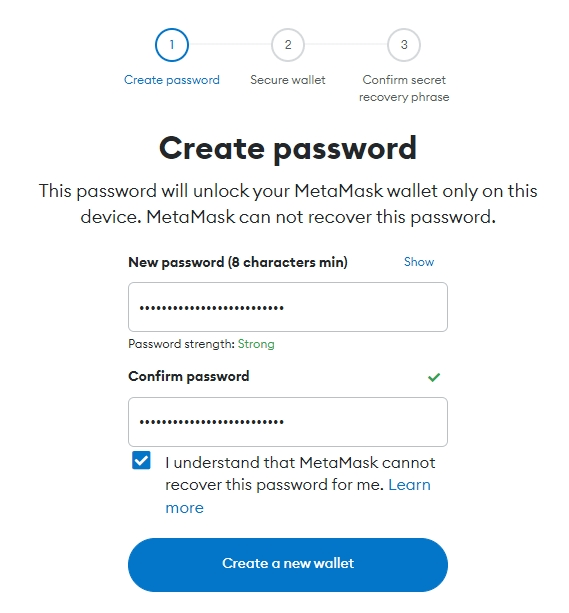
3. Set up a strong password: Generate a strong password for your MetaMask account and store it securely, as it won’t be saved automatically.
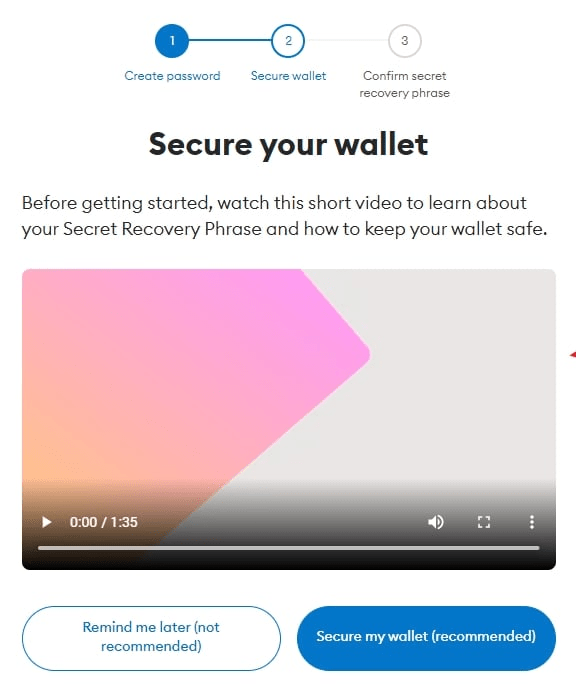
4. Secure your wallet with a Secret Recovery Phrase: MetaMask will reveal a randomly generated 12-word seed phrase. Write it down and store it securely. You can also skip this step for now, but be aware that this makes your crypto less secure. If you lose access to your wallet, you won’t be able to restore access to crypto deposited in it in case of theft or loss.
5. Write Down and Confirm Your Recovery Phrase: Store the seed phrase securely (in a metal wallet, dedicated password manager, or safe deposit box). Confirm it by entering three missing words prompted by MetaMask.
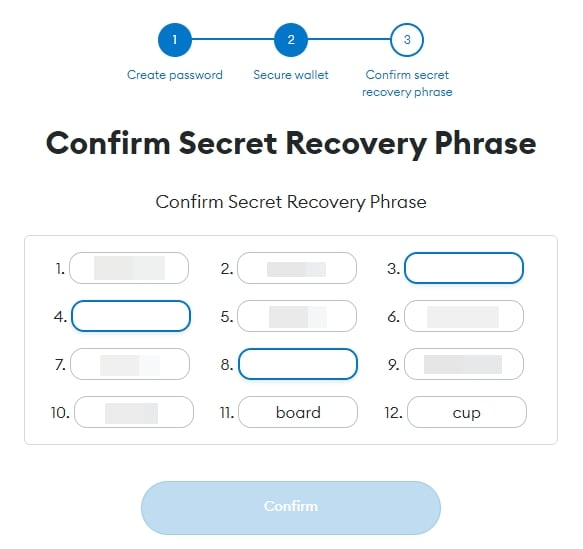
6. Wallet Successfully Created: You can now use your MetaMask wallet to manage your crypto assets.
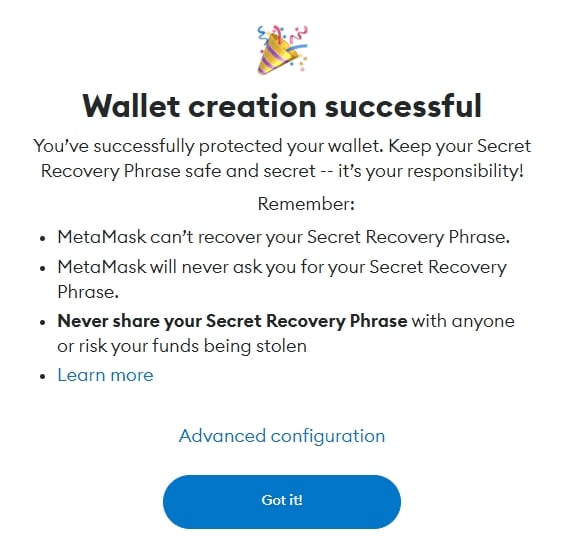
Please note that while we focused our attention on MetaMask due to its popularity, the setup process is very similar for other software wallets, such as Trust Wallet or Coinbase Wallet.
How to generate a 12-word BIP39 seed phrase using a calculator
This method shows how to manually create a 12-word BIP39 seed phrase with nothing but a scientific calculator. It’s a fully offline approach that ensures complete control over your wallet’s entropy – perfect for anyone who prefers air-gapped security over trusting software or hardware random number generators.
Unlike wallets that rely on built-in RNGs, the calculator method lets you generate random numbers yourself and map them to the BIP39 word list. The result is transparent, verifiable randomness that never touches an internet-connected device.
Step 1: Gather your tools
You’ll need a scientific calculator with a random function (such as randInt(1,2048)), a printed BIP39 word list, scratch paper, and a secure backup option – ideally a metal wallet.
Step 2: Generate 11 random words
Power the calculator on and off a few times to clear any memory, then use the random function to produce numbers between 1 and 2048. Each number corresponds to a word in the BIP39 list. Write down the matching words until you have 11 unique entries.
Step 3: Determine the 12th word (checksum)
The final word includes a checksum derived from the first 11. To calculate it, use an offline BIP39 checksum tool or a verified open-source script. Once you find the correct final word, add it to complete your phrase.
Step 4: Secure your phrase
Transfer the full 12-word phrase to a metal backup or another durable offline medium. Avoid storing it digitally or taking photos. Safely destroy all scratch notes once the backup is complete.
Step 5: Done – your offline seed is ready
You’ve now created a fully offline seed phrase using only a calculator and a printed list. This process maximizes transparency and minimizes any risk of digital compromise.
Conclusion
The security of a seed phrase is paramount in safeguarding your cryptocurrency assets. Always use first-party seed phrase generators provided by your wallet provider, and avoid third-party tools. Ensure your seed phrase is stored securely, most preferably offline, to minimize potential attack vectors.




![Does Blockchain Technology Have a Future in Gaming? [In Collaboration]](https://staging-blog.coincheckup.com/wp-content/uploads/2020/02/icons8-team-Ph5_4TnXXYE-unsplash-scaled.jpg)
